Common Information Technology and Consumer Electronics Problems and How to Solve Them
Common Information Technology and Consumer Electronics Problems and How to Solve Them
In today’s fast-paced digital world, Information Technology (IT) and consumer electronics play an integral role in both our professional and personal lives. However, users often encounter a variety of technical problems that can disrupt productivity and enjoyment. At PC Warehouse, South Africa’s trusted IT support and device repair provider, we understand these challenges and offer expert solutions tailored to your needs.
1. Common IT Problems
1.1 Slow Computer Performance
One of the most frequent complaints is sluggish computer performance, which can be caused by insufficient RAM, malware infections, or outdated hardware components. Over time, accumulated software bloat and background processes also contribute to delays.
1.2 Software Compatibility Issues
Running incompatible software or outdated operating systems can lead to crashes, errors, and reduced functionality. This is especially common when upgrading to new software versions without verifying hardware and OS compatibility.
1.3 Network Connectivity Problems
Unstable or slow internet connections affect both home users and businesses. Causes include router malfunctions, ISP outages, or incorrect network configurations, leading to interrupted workflows and frustration.
1.4 Data Loss and Backup Failures
Data is invaluable, yet many users neglect proper backup strategies. Hardware failures, accidental deletions, or malware attacks can result in significant data loss without reliable backup solutions.
2. Common Consumer Electronics Problems
2.1 Battery Life and Charging Issues
Devices such as laptops, tablets, and smartphones often face battery degradation over time. Charging problems may stem from faulty cables, chargers, or internal hardware defects.
2.2 Device Overheating
Overheating can cause performance throttling and hardware damage. Poor ventilation, dust accumulation, or heavy usage without breaks are common contributors.
2.3 Screen and Display Malfunctions
Issues like flickering, dead pixels, or unresponsive touchscreens can severely impact user experience. These may result from physical damage or manufacturing defects.
2.4 Peripheral Device Failures
Accessories such as keyboards, mice, headsets, and printers sometimes stop working due to driver conflicts, hardware faults, or connectivity problems.
3. Troubleshooting Tips and Solutions
3.1 Regular Maintenance and Updates
Keeping your software updated and performing routine hardware maintenance can prevent many common issues. This includes running antivirus scans, clearing cache, and cleaning device internals.
3.2 Using Professional IT Support Services
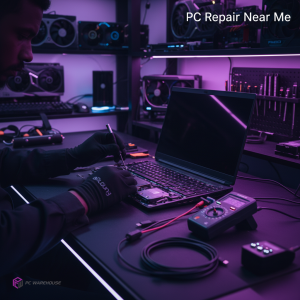
When problems persist, professional support is invaluable. PC Warehouse offers remote IT support and device repair services across South Africa, ensuring quick and reliable resolutions.
3.3 Choosing the Right Hardware and Accessories
Selecting compatible and high-quality components tailored to your needs reduces the risk of malfunctions. Our expert team can guide you in choosing gaming laptops, custom PC builds, and peripherals optimized for performance.
3.4 Preventative Measures for Longevity
Implementing good habits such as proper device handling, using surge protectors, and avoiding excessive multitasking helps extend the lifespan of your electronics.
Conclusion
Understanding common IT and consumer electronics problems empowers users to take proactive steps and seek expert assistance when necessary. PC Warehouse is committed to supporting South African customers with professional IT support, reliable device repairs, and quality hardware solutions. Contact us today to keep your technology running smoothly.


About author